Coffee Flavor Profile Builder
Tap a flavor on the wheel to begin.
Free account · 3 saved profiles · no card needed
Embed This Flavor Profile
Try a free preview with this wheel.
For actual coffees, not imaginary ones
Build a coffee flavor profile
By Profilo · Updated October 4, 2026
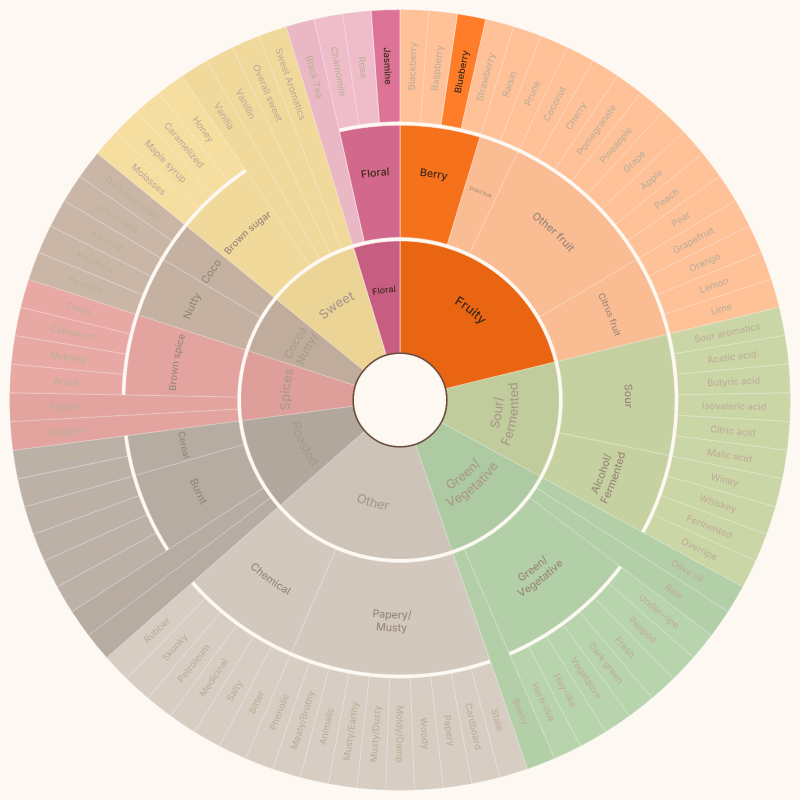
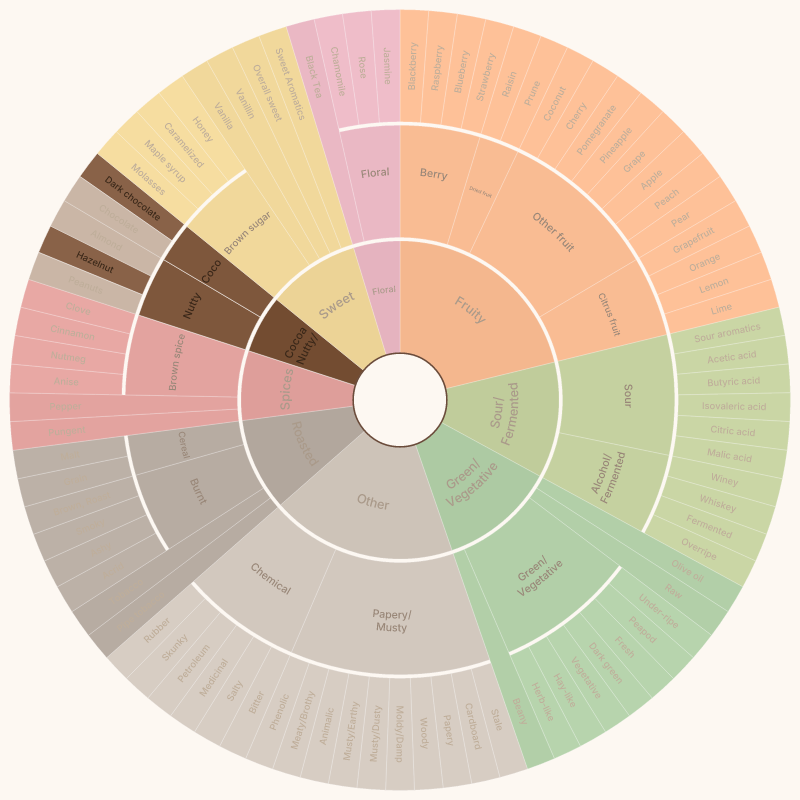
Use the wheel while the coffee is in front of you. Click a broad impression first, then add the smaller notes that keep showing up as the cup cools. You do not need to fill every ring or collect a heroic list of descriptors. Two or three notes that you can explain are usually more useful than fifteen guesses.
Give the coffee a name, add a logo or photo if you want a branded reference, then download the result as a PDF, PNG, or SVG. Downloads are available without an account. A free account is only needed when you want to save the profile and come back to it later.
A small workflow that works
- Taste once without trying to name everything.
- Click the broadest flavor family that feels right.
- Add one or two more specific notes, then remove anything that feels forced.
- Save the profile if you want a record for the next brew or a conversation with a roaster.
Want the blank reference instead? Grab the free coffee flavor wheel poster. Want to browse the vocabulary without making a profile? Use the interactive wheel.
Two notes are a good start
These are made-up tasting examples. Click one, change the notes to match your cup, and download your own version.